

Before I share these tips, you need to understand that YouTube has its own algorithm to rank a video. Even if you buy inorganic YouTube traffic, it will not ensure that you will rank higher organically.
Now, let’s look at some of the most important YouTube SEO tips, which will help you to get more organic visits to your videos.
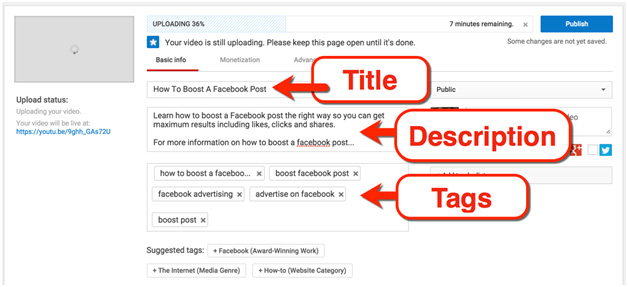
1) Title Of The Video – Use Keywords
The video title is how one will know what your video is all about. A title which perfectly matches your video content will be very friendly to the viewer and also to the YouTube algorithm for SEO.
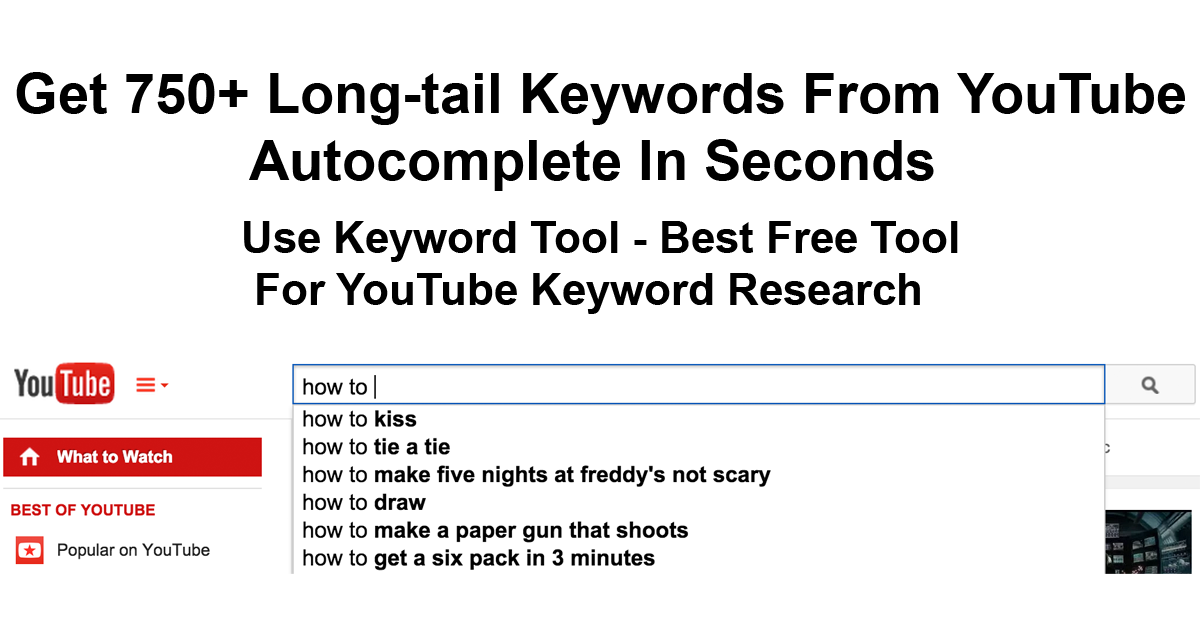
Take advantage of Google and YouTube auto-complete feature. This will give you an overview of what people are searching for on Google and Youtube and will help you optimize your content accordingly. Try searching on google for your topic and look at the suggestions and name your video accordingly.
2) Description Of The Video
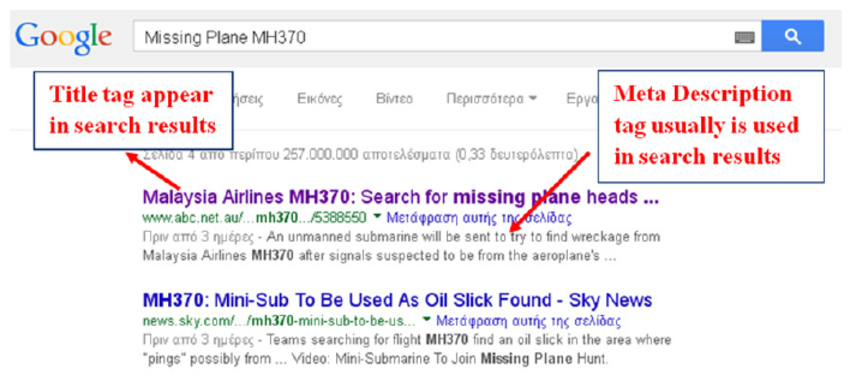
Writing a description of your video content is just as important It will provide all keywords and match them to the search resulting in your videos ranking higher. The first couple of lines play a major role in your video’s ranking in the search engine. You can also use the search engine’s autocomplete keyword phrases as your description. If the searched keyword matches the first two lines of your video description, the video is more likely to get a higher ranking.
3) Naming Your Video File
You have created and edited your video and it is ready to be uploaded on YouTube, but you rendered your video file any random name it won’t help. Ensure that you put the same name as that of your topic.
Naming your video file as your focused keyword actually tells the search engine as to what is in your video, search engines cannot look inside video content. It is the file name that tells search algorithm what your video is all about.
4) Optimizing existing videos using search data
This is the a great way of ranking higher on search engines and youtube.
1)Head over to Studio.YouTube.com
Click on Analytics and then Top videos
2)Click on the video that you wish to optimize. This will bring up the analytics page for your selected video.
3)Click on traffic source and select the YouTube search.
Now, you need to optimize your video title, description and tags based on these queries.
Treat these queries as a keyword which your video should be optimized for.
If you see a query and your video is not explaining that part, that is the idea for your next YouTube video.
5) Use The Closed Caption (CC) Feature In Your Video On YouTube.
Use the closed caption (cc) feature of YouTube(the one that appears on the navigation bar of videos). This shows your text over the video which helps viewers understand your video narration better. It can also be translated into different languages thereby reaching out to more people. You can also write a closed caption if your video doesn’t contain voice.
Using closed captions gives the video a new way to get indexed to the search engines as it has the keyword in it. You can also take advantage of service like captions for YouTube, to create captions for your uploaded YouTube videos.
6) Tagging & Keyword Research For YouTube Videos
Tags are another important way to get a better ranking in YouTube search.
You can use the Tubebuddy tool which helps you find the right tags to be used with your video.
It also shows your ranking for the particular keyword. This tool is used by many pro YouTubers and is highly recommended for your YouTube channel as well.
Google also has two such tools – Keyword Planner and Display Planner. I recommend you to use Display Planner in order to get relevant keywords.
7) YouTube Studio:
Using YouTube Studio you can find which keywords are driving more traffic to your videos. Using this data, you can optimize your videos to rank them higher in YouTube search. Just follow the steps as mentioned below:
1)Head over to YouTube studio. Click on Analytics and then Reach viewers
2)Click on Traffic source and then YouTube search. Click on any Keyword to reveal more data.
Once you have the keyword that is driving traffic to your videos, you can start optimizing them.
Also ensure that you ask your viewers to like and share your videos on favorite social-networking sites.
Another good YouTube SEO tip is to embed your videos within the blog post. It helps you get links to your YouTube videos and more views.

 Online Business Addict
Excellent and very exciting site. Love to watch. Keep Rocking. on page seo
LikeLike