
What Is Private Label?
A private label is a third-party manufactured product which is sold under private name and logo. In simpler words, you contract someone to make a product and you sell it under your own brand and logo.
Why Private Label?
Private label offers a ton of advantages over the other methods. Here’s a few:
1) Less work – You only have to outsource a single product in large quantities and not worry about many products to be handled.
2) Price control – You can set prices for your products if you choose to sell under private label. Therefore, you don’t have to worry about low prices.
3) High profits – You earn more money by selling the products under your own brand and logo.
Getting Started With Private Label
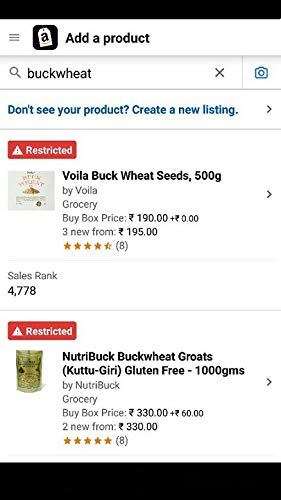
Firstly you need to create an Amazon listing. To do that:
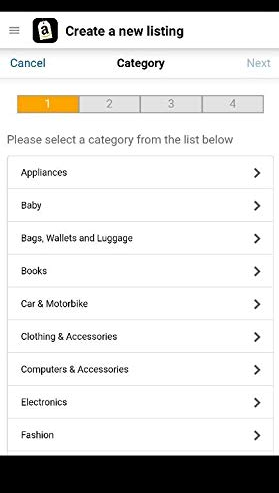
1) Click on ‘Don’t see your product? Create a new listing’ and select a category from the given list.
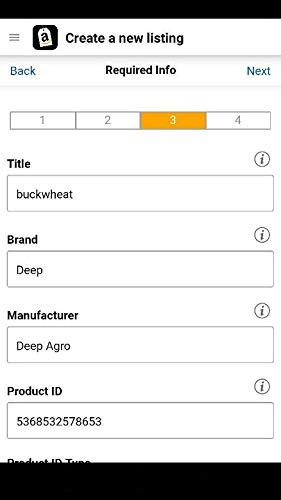
2) Upload a clear image/images of the product you want to sell & fill in the details of the product you want to sell.
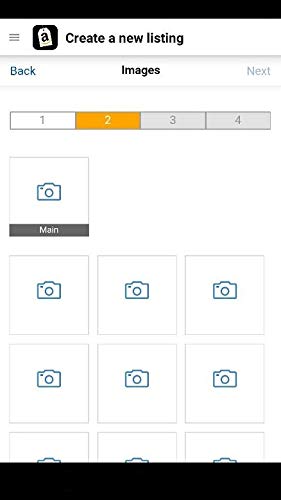
3) Add the price and quantity and review and publish your listing.
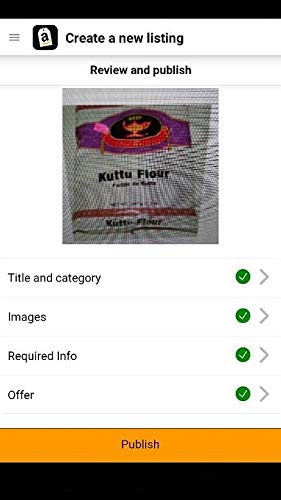
After you have done this:
1) Buy products in bulk after reviewing the competition and ship them from Alibaba.
2) Ship the products to an Amazon warehouse so it can be part of the Amazon FBA program and you won’t have to do all the hard work.
3) Launch and advertise your product using Amazon’s own advertising system. Also, remember to promote your products on social media too.
So guys this is how you can start selling on Amazon FBA by following simple steps. Just remember to advertise your products to get them recognised and people can buy them.
 Online Business Addict