
Instagram is one of the most used social platforms in the world. On an average, more than a billion things are posted everyday and a ton of likes given on them. So, it turns out to be a great platform for marketing as well as growing your business.
3) Next, click on the wheel icon on top to open settings, scroll down to “switch to business profile” and click on it.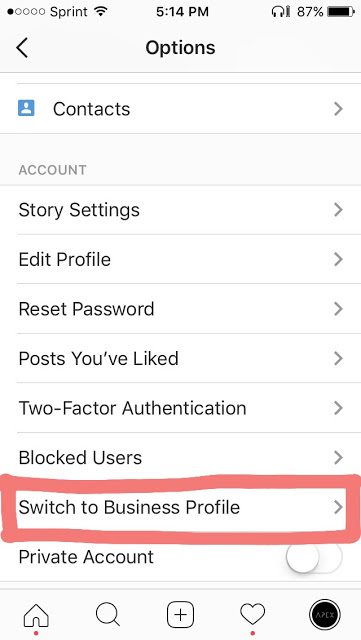
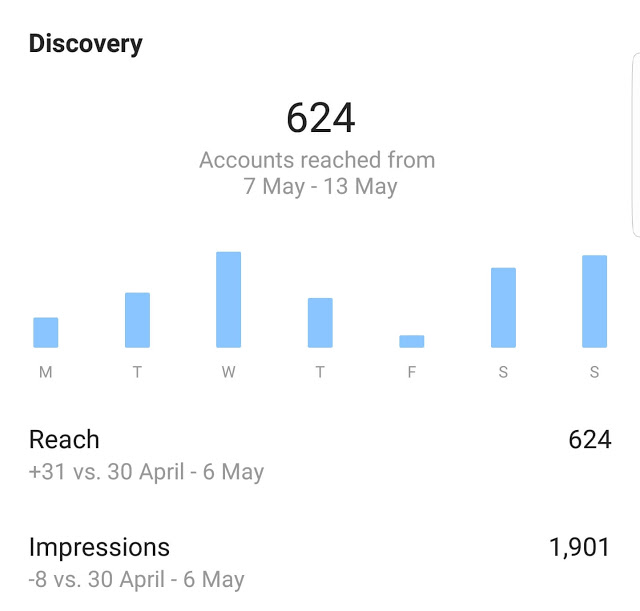
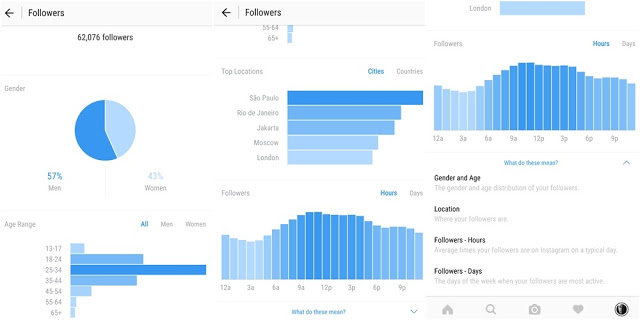
You need to have a business profile to boost your business and also get free access to Instagram business tools like Insights, promotions and much more. These tools will give you a complete analysis of your posts and their impressions on audience and will help you to promote your posts right within Instagram. You can check which posts are doing well and which aren’t and adjust them accordingly.
Here we discuss – how to create an Instagram business profile step-by-step and also some tools that may help to grow you business/audience.
Here we discuss – how to create an Instagram business profile step-by-step and also some tools that may help to grow you business/audience.
1) Update The App
You need to have the latest version of Instagram in order to create a new business profile. Make sure you have the latest version before continuing.
2) Click on bottom right button to view your account(where you see all your posts and profile settings).
3) Next, click on the wheel icon on top to open settings, scroll down to “switch to business profile” and click on it.
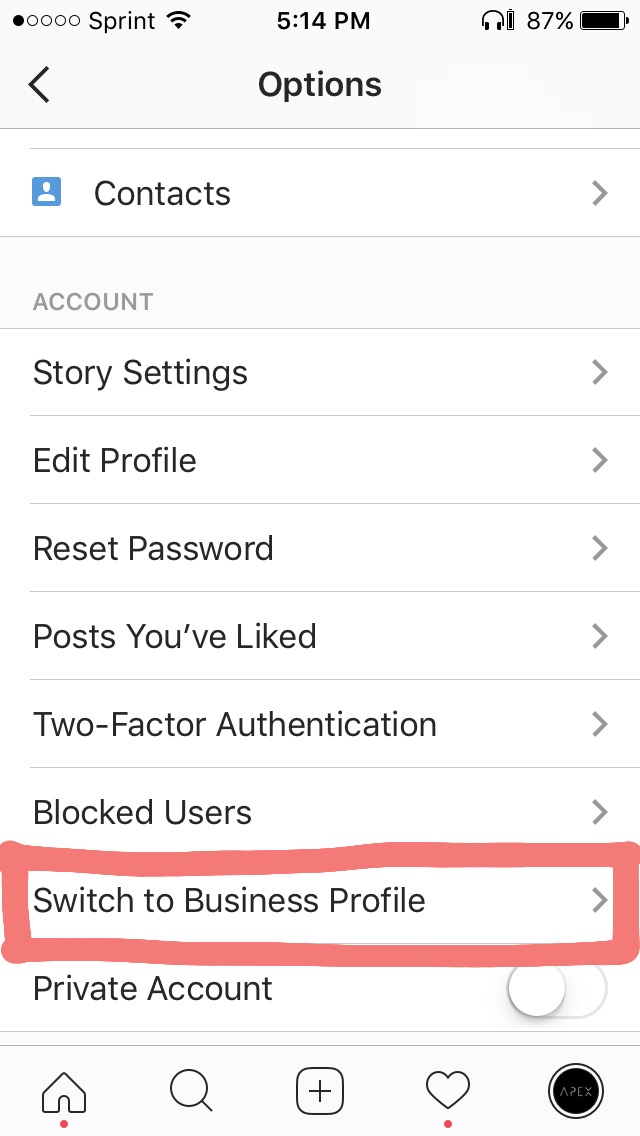
4) You will see various options:
- Connect to your Facebook page.
- Add a phone number, email, or location so customers can reach you directly.
- Learn about your followers and see how your posts are performing.
- Create promotions on Instagram that help you grow your business.
After you have entered all the information for these options, click on the blue button so that Instagram will verify your ownership and fetch data from your Facebook.
5) Now enter your business contact information, and Instagram will automatically pull information from your Facebook page. You can keep this information or remove it, its up to you. Finally click on done button to save the profile.
NOW YOU HAVE AN INSTAGRAM BUSINESS PROFILE!
Now let’s discuss some tools that will help you to grow your business:
INSTAGRAM INSIGHTS
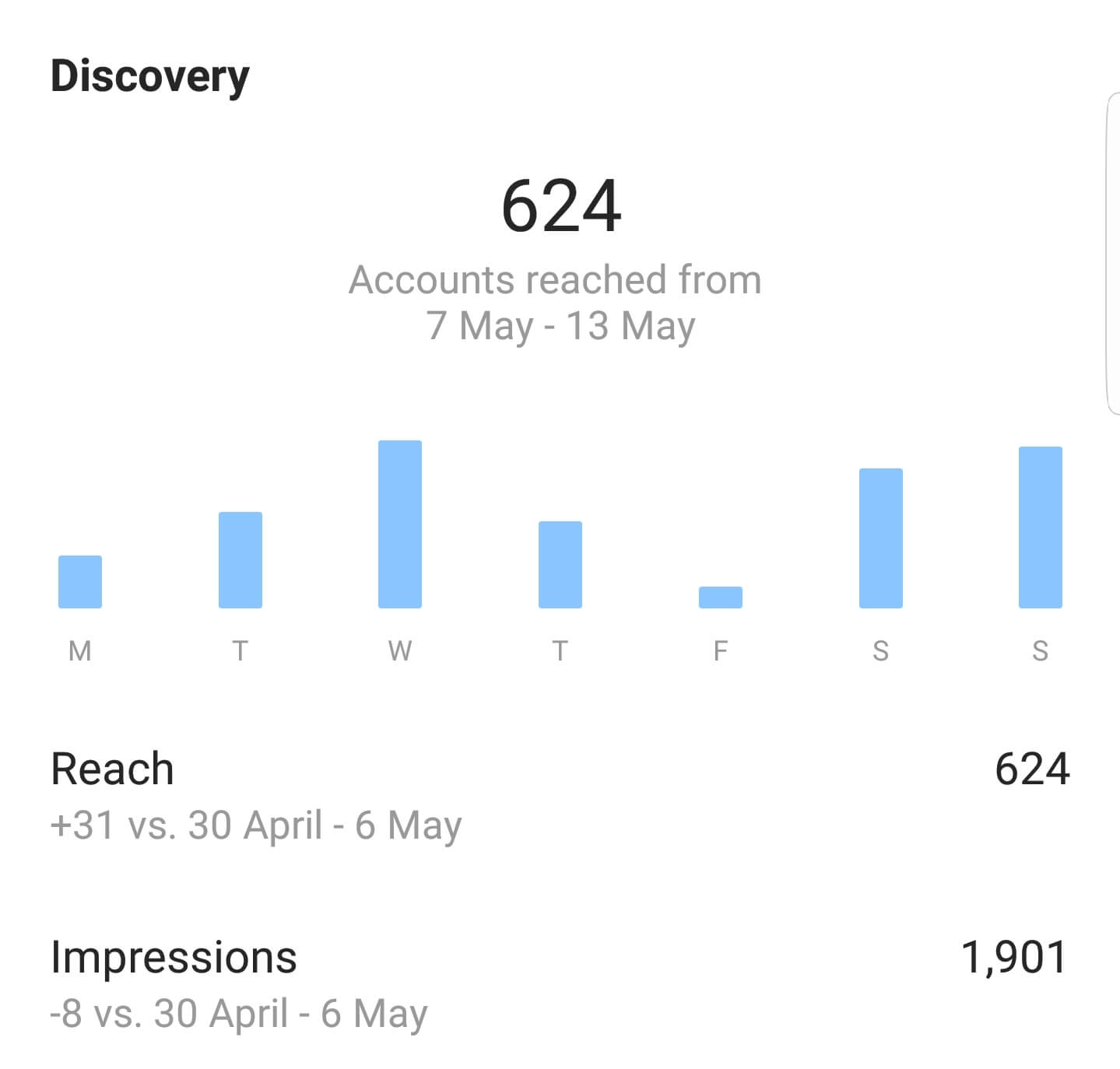
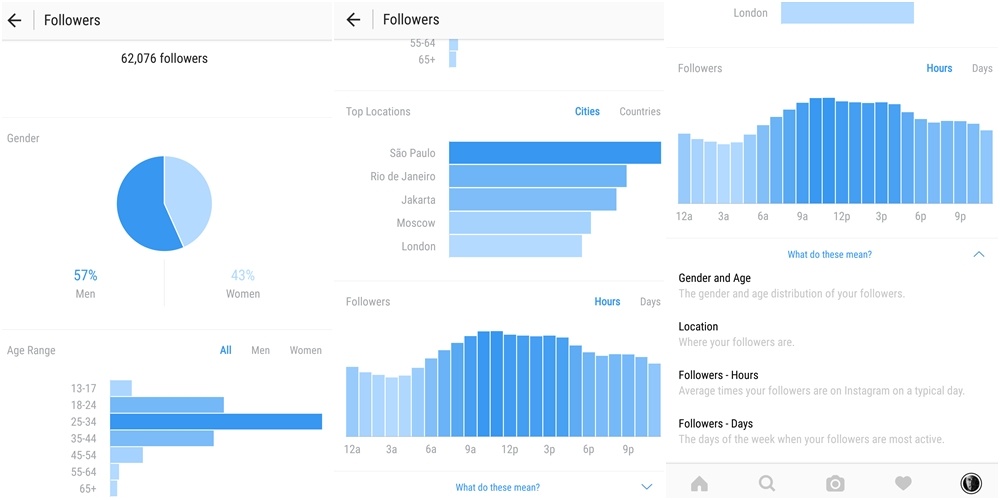
This is a great tool that you just unlocked! You can view how your posts are performing, which posts are getting more views and likes and a complete analysis of the posts.
To access Instagram Insights, look at the top right of your new business profile next to your settings wheel icon. You’ll see a bar graph icon that will take you to your Instagram Insights.
When you tap on the “See More” link for your top posts, you’ll see a screen dedicated to your posts. Each post will show the image and the number of engagements currently on the post. You can also tap on the links for Impressions, Reach, or Engagement to filter posts based on that particular filter.
PROMOTE BUTTON
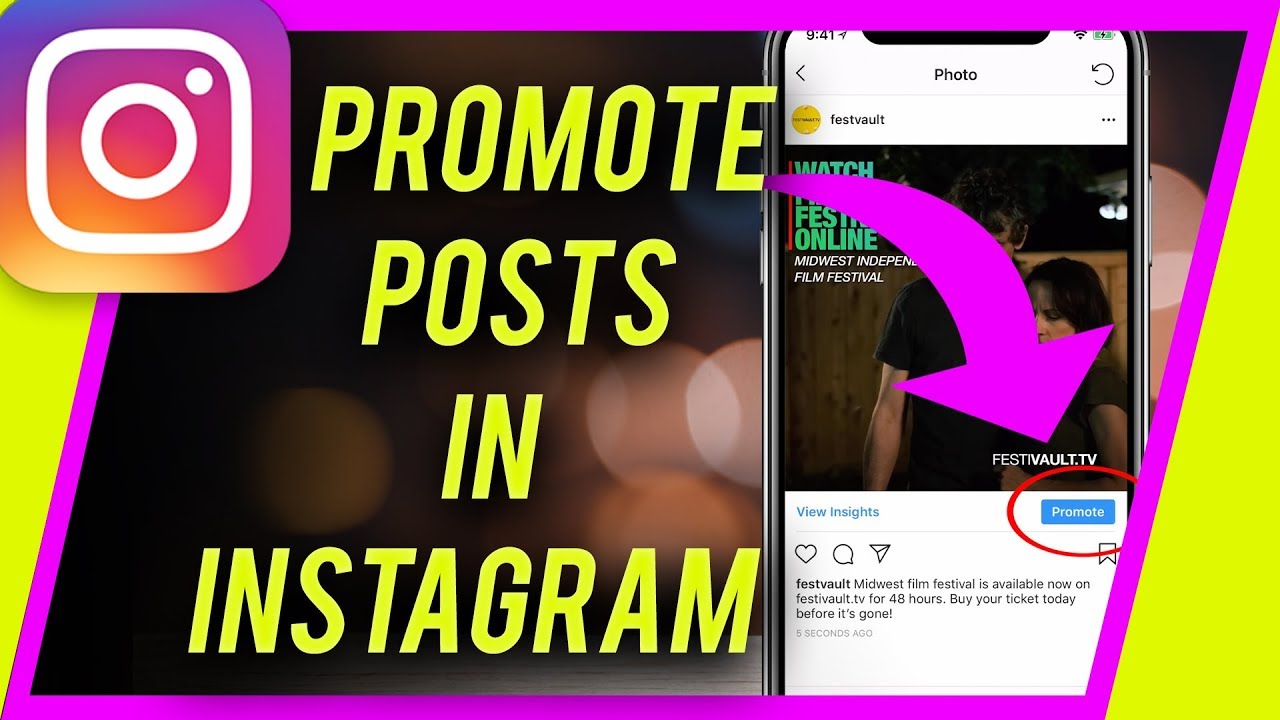
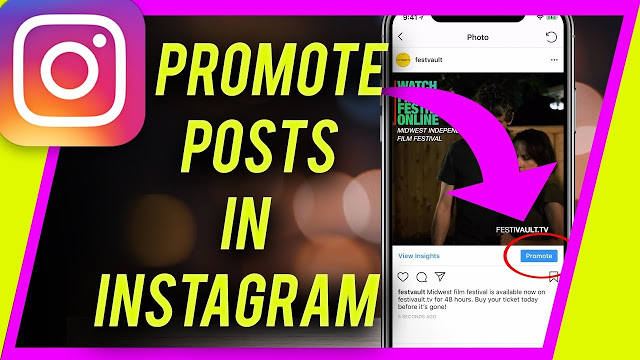
Now, you can promote your posts right within Instagram, without posting links everywhere.
Just tap on a post and them tap on promotions.
You’ll need to set a call-to-action button and the link for your landing page.
Now your audience, budget and duration of the promotion. Note that the audience can be automated or defined by you.
Once you’re finished, you’ll get a chance to review your promotion settings, add your payment method, and then submit your promotion for review.
You can also view promotions from recent activity menu by clicking the “heart icon” on the bottom bar.
 Online Business Addict