
“In 1999, There Were Just 23 Blogs. Today, There Are Over 1.7 Billion Blogs On The Internet.“
Isn’t that a great fact, Blogging from last few years has grown rapidly and in fact blogging is among Top Startups in 2019. attracted towards blogging.
There are many platforms like Blogger and WordPress to get started with blogging and usually WordPress is preferred over Blogger due to its more professional approach.
Today in this blog we will discuss How To Start a WordPress Blog. Here is a glimpse of steps required to get started:
- Signing Up for Hosting.
- Buying Hosting & choosing Plans.
- Picking a domain name for your blog.
- Installing & Linking WordPress.
- Choosing Niche & Writing First Blog post.
Step 1 – Signing Up for Hosting
There are many Web Hostings available on the internet like BlueHost, GoDaddy, HostGator many more but we will be choosing BLUEHOST.
Bluehost is a hosting provider for your wordpress blog. It is highly recommended as it provides:
- Free SSL
- Free domain name
- Unlimited storage and bandwidth
- 30 days money back guarantee
- Easy to use cPanel
- Cheap Prices
How To Buy Bluehost Hosting?
1) Navigate to Bluehost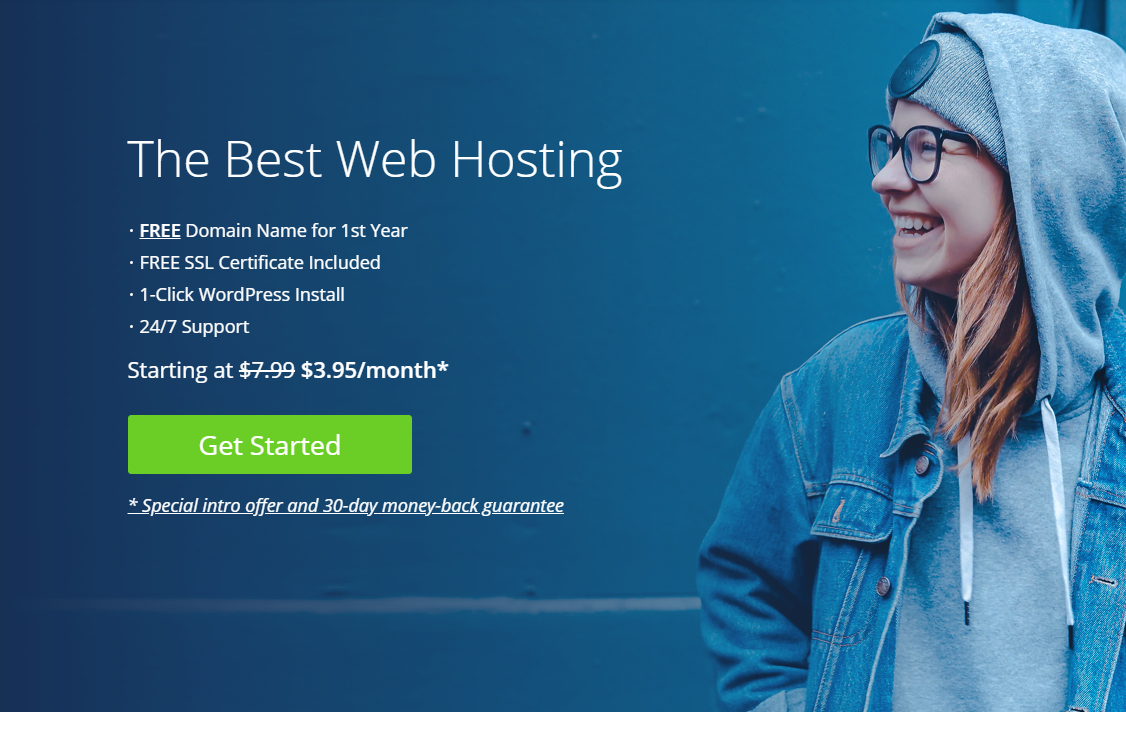
2) Click on get started.
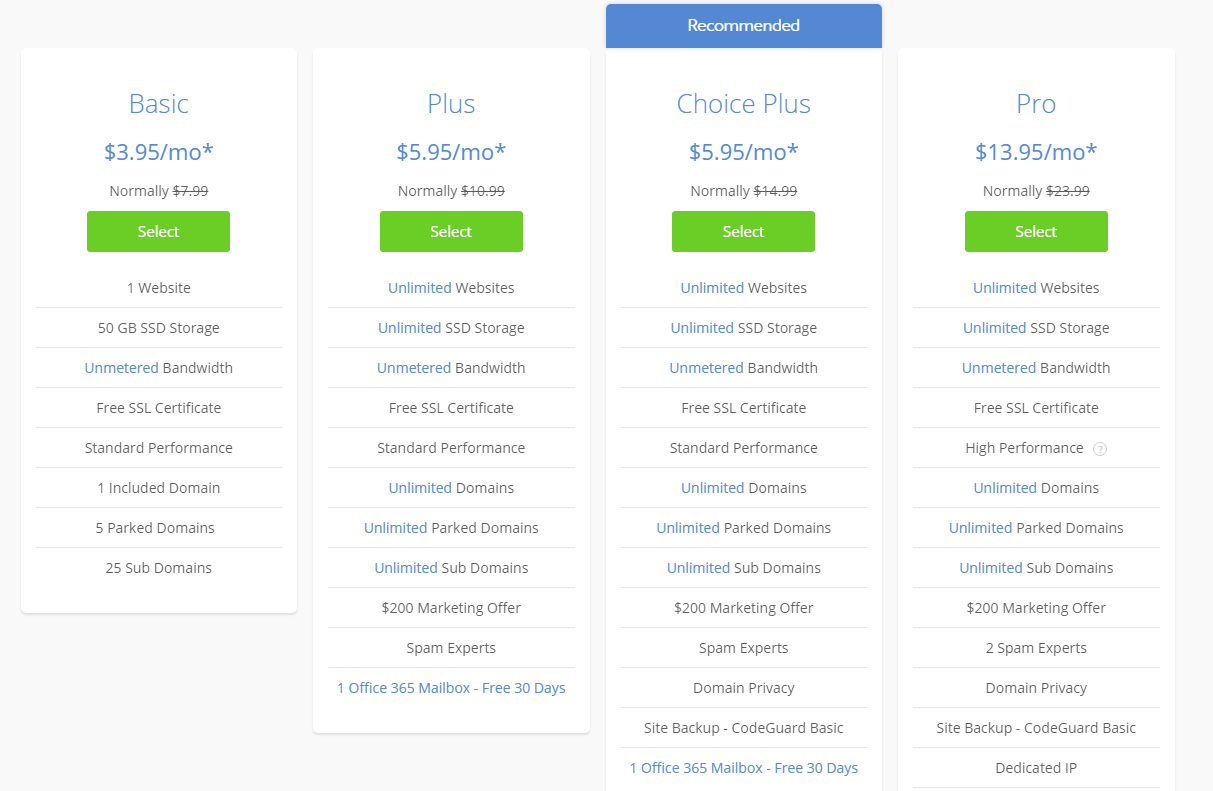
3) Select the basic plan.
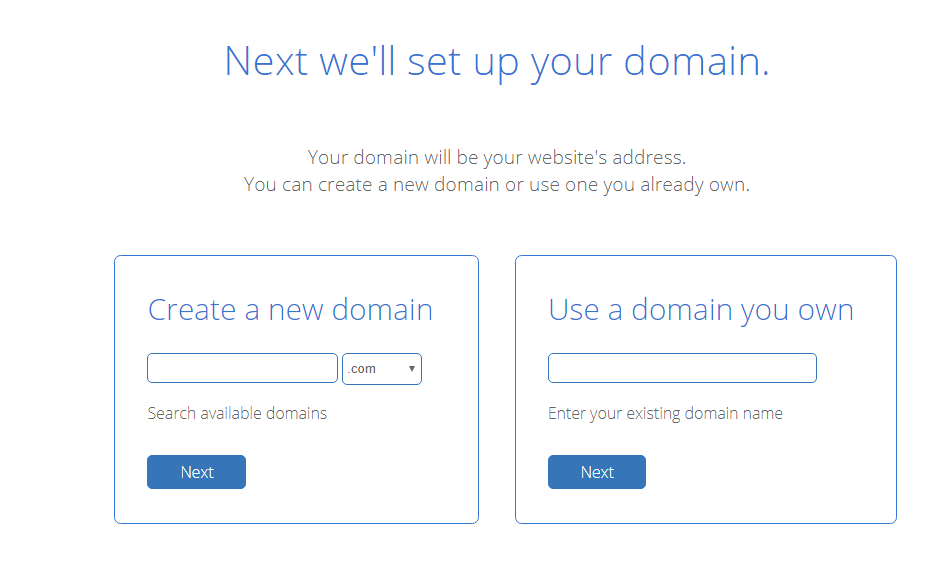
4) On the next page, choose your free domain name or you can also choose one later.
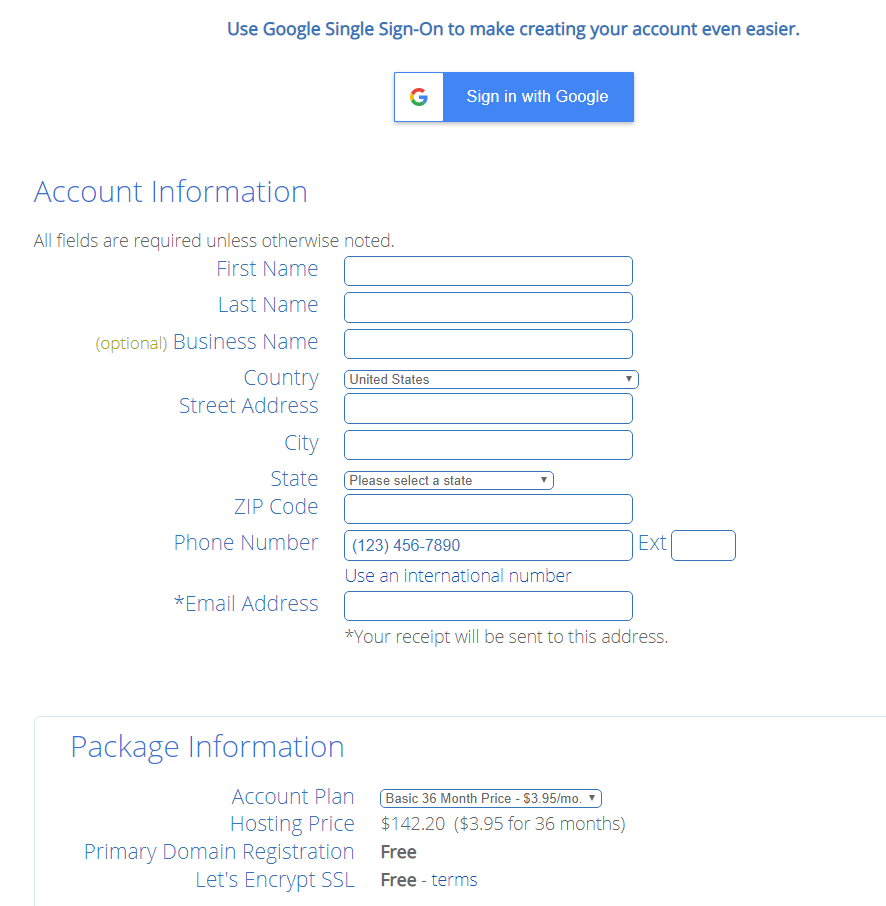
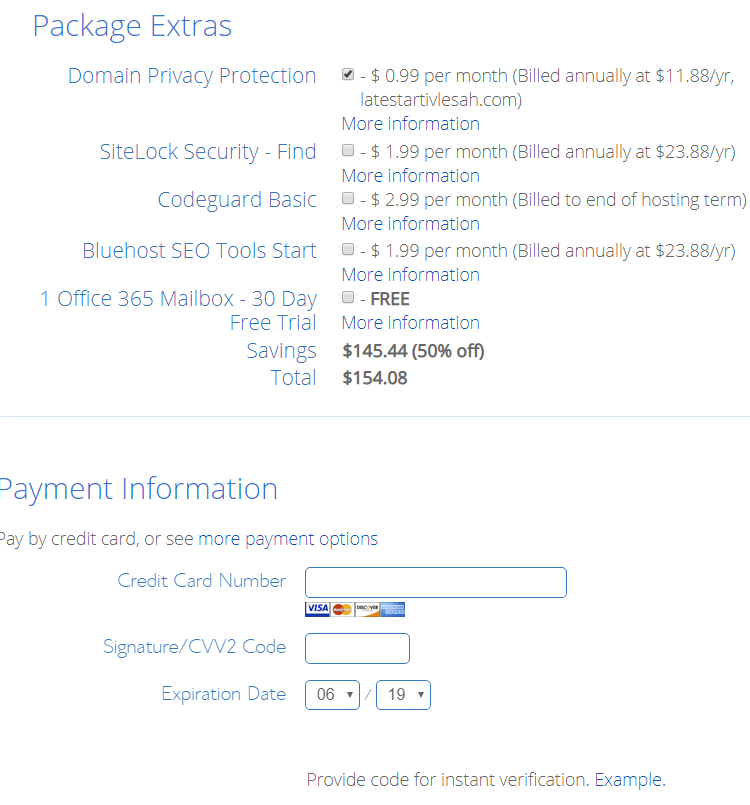
5) Fill up your contact information and select the extras you want. I recommend that you just check domain privacy to keep your personal information hidden and uncheck everything else.
Enter your payment information, check “I have read…..” and click on submit button.
Once you have made the payment, Bluehost will create your blog in the next few minutes. This will be done automatically and thus it saves a lot of hassle and time for beginners.
SOME IMPORTANT CHANGES TO BE MADE…
Changing Login Credentials
After wordpress installs automatically, you will be provided with a username and a password. The username is always admin and the password is random. To login to your site type your domain name in the address bar and add “/wp-admin”(without quotes).
You need to change these login credentials after logging in to secure your site from attackers.
To change your password in current versions:
1) In the Administration Screen, menu, go to Users –> All Users.
2) Click on your username in the list to edit it.
3) In the Edit User screen, scroll down to the New Password section and click the Generate Password button.
4) If you want to change the automatically generated password, you can overwrite it by typing a new password in the box provided. The strength box will show you how good (strong) your password is.
5) Click the Update User button.
Updating Permalinks
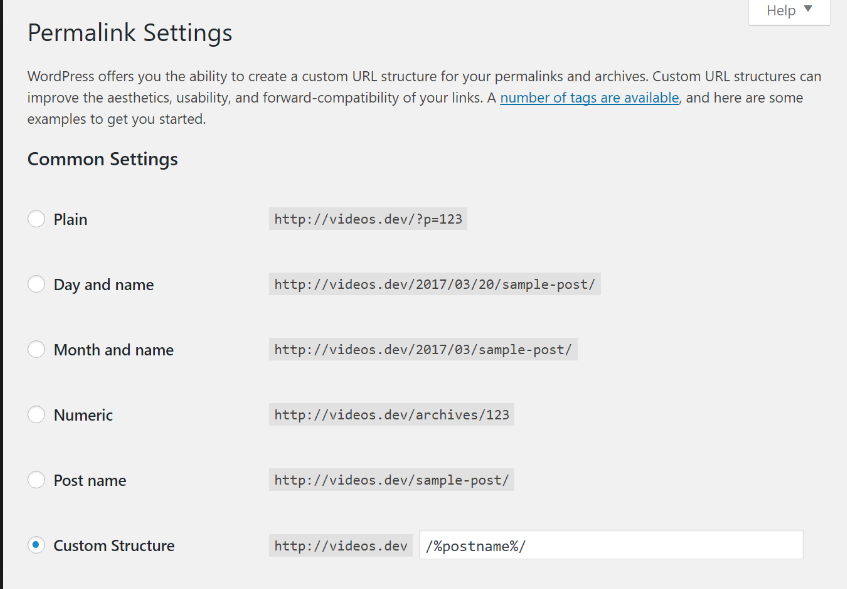
Permalinks are URLs that are used for a specific page of your site. Set it to posts as it is easy to remember.
Go to WordPress Admin Panel
Click on Settings an then Permalinks
Select posts
Click save changes
WRITING YOUR FIRST BLOG POST
WHAT IS YOUR NICHE?

Niche refers to a particular skill that you are comfortable dealing with. Let’s consider that your niche is technology, it means you are comfortable dealing with technology and can explain it to others very well. Take some time to find out about your niche and decide what your blog will be about. Picking the right niche is crucial.
Another important thing is that your main goal should not be money. That’s right, never keep your primary focus on money. Always deliver best value to your customers and explain everything in a simple way. You will never be successful if you keep money as your primary concern.
While picking a niche, consider how well you know the topic. Your niche should be something that interests you and something that you research or read about frequently. Note down your ideas somewhere and work on them. Find out what topic interests you the most and work on it. Choose the topic on which you can also add some points from your experience . That’s how you choose a niche for your blog.
GETTING STARTED….
Now that you have a niche, you need to design your blog and add content to it. Choose the best template that’s gonna appeal to the readers and make your blog look beautiful. Interactive themes are the best themes that you can apply to a blog. You will also need to develop Home page, About page, Contact page and a navigator so that users can go through your blog easily. You can also put your profile on display but this is optional.
Also add a comments section to your blog so that you know what people think about your blog and how you can improve it.
YOUR FIRST BLOG POST

Now you are ready to write your first blog post. Before beginning, research on the topic well and note down important points. Don’t worry about the blog to be perfect, you will do well in time. Explain the topic as best as you can and use the help of pictures to clear concepts. Remember that writing a blog is different from writing essays in school/college tests. Here are a few points to remember while writing a blog:
- Research on the topic well and cover all necessary points.
- Don’t worry about the blog to be perfect.
- Use pictures to explain things.
- Don’t plagiarize other’s content as you might have to take down your blog after that.
- Imagine that you are explaining the concept to a person.
- Don’t make up languages. By this I mean – try to be as normal as you can and write the same things that you would speak to a person. It’s okay to use casual language that you use in everyday conversations.
Always plan out your content and express it in the best way you can.
SHARING CONTENT

At first, you won’t see your site at the top results of a google search. Hence, to get more traffic, you will need to share your content as much as you can and also do some paid promotions if you can.
Sharing includes posting on Facebook and Instagram frequently, putting up stories and asking others’ help to share your content.
Also, connect with bigger accounts and ask them to share your content. In return, they will ask you to share their content or pay them. This is a great way of sharing as you reach out to more people and more people recognise your content. Remember to post frequently about your content and try to make it more attractive.
SEO OPTIMIZATION
SEO means Search Engine Optimization. It is a way to get your site recognised better by google search and put it it first than others. Since we unchecked bluehost SEO tools while installing wordpress, we will do it manualy.
Consider taking a look on the keywords that are trending in your niche and make sure to include them in your blog. You can do so through Neil Patel’s ubersuggest tool.
Write a meta description of your blog that will get it indexed by the search engines. I know this sounds too technical, so here it is in simpler words – write a description of your blog. The description should include the targeted keywords in your niche.
Since, google’s search engine algorithm is updated, you need to focus on one topic strongly rather than explaining everything. Google search engine shows those websites on top which are focusing on one topic and explaining it in great detail.
 Online Business Addict